The Doorway Test: A Lunchbreak Accessibility Audit for Society Events
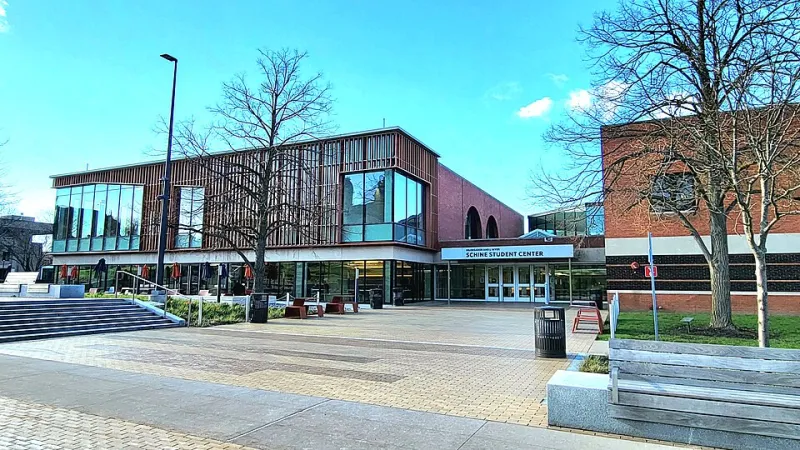
Photo: Kiran891, CC BY-SA 4.0, via Wikimedia Commons
There is a particular kind of committee group chat that appears about ten days before an event. The poster is done. The speaker is confirmed. Someone asks, “Is the room accessible?” and a reply lands: “Should be.” That reply is where the problem starts.
Accessibility is not a separate paperwork stream that sits beside the real work of running a society. It is the real work. A event that people cannot get into, hear, understand or leave without a meltdown is not a successful event with an access issue. It is an event that has failed a chunk of its audience before the first slide appears. The good news is that most of the fixes are boring, cheap and fast. You can audit a society event in a lunchbreak. You just have to be willing to ask awkward questions and write down honest answers.
Why this belongs to the committee, not a side quest
At LSE, society committees are small, busy and often making it up as they go. That is fine. What is not fine is treating access as something for “someone else” — the venue, the university, the one committee member who happens to have a disabled friend. Access is a core competence, like budgeting or not losing the society login. If your committee can book a room, you can check the route into it. If you can write a poster, you can write an access line. If you can run a social, you can think about who will be standing at the edges wondering whether to leave.
The audit below is deliberately unglamorous. It is a doorway test, a message test and a format test. Set a timer for 45 minutes, split the questions across two or three people, and put the answers somewhere the next committee can find them.
Block one: The doorway test
Start with the physical route. Not the room in isolation — the whole journey from the street to the seat. If you can visit the venue, go at the time of day your event will run. If you cannot, ring the venue and ask specific questions. “Is it accessible?” is not a specific question. “Is there a step-free entrance from the street, which door is it, and is the lift working on a Tuesday evening?” is.
Check the entrance people will actually use. Is there a step, a heavy door, a narrow turn? Is the step-free route signposted, or does it involve walking around the block and ringing a bell? Check the lift: does it need a staff card, is it big enough for a wheelchair and a friend, what happens if it breaks? Check the loos. Check door widths into the room. Check whether seating can be rearranged without a facilities request. Check noise, lighting and whether there is anywhere quieter to step out to.
If the venue cannot answer basic access questions, that is useful information. It may still be workable, but you need to know now, not on the night when someone is stuck at the entrance.
Block two: The message test
Most access failures are communication failures. A poster says “accessible venue” and stops. Accessible how? For whom? Through which door? With what seating? A vague claim is often worse than no claim, because it makes people plan around information that may not be true.
Put an access line on every event page and poster. Name a real person, give an email address, and set a deadline for access requests. “DM us” is not a plan. “Email [email protected] by Monday 16 November and we will confirm arrangements” is. Include travel information: nearest step-free Tube station, bus routes, drop-off point, whether there is somewhere to lock a bike. If you are using slides, say whether they will be shared. If there will be flashing lights, loud music or alcohol, say so. Content notes are not spoilers; they are practical information.
Common mistakes here are small and fixable. PDFs that cannot be read by screen readers. Posters with text baked into images and no alt text. Access details buried in a link to a link. A contact address that nobody checks. A deadline that has already passed by the time the post goes live. A promise of “quiet space” that turns out to be a corridor. Fix the message before you fix the lighting.
Block three: The format test
Then look at the event itself. Not every society night needs captions and a hybrid stream, but every committee should decide what it is offering and say so clearly. Will there be microphones? Will speakers repeat questions from the room? Are slides available afterwards? Is there a seated option, or is the whole thing a standing networking scrum? Is there a quiet hour, a breakout room, a no-alcohol table, food that is labelled?
Formats create barriers quietly. A panel with no microphone excludes people at the back. A social in a loud basement excludes anyone who finds noise exhausting. A workshop where everyone must move around excludes people who cannot. A “networking” event with no seating and no structure excludes anyone who finds approaching strangers difficult. You do not have to solve all of this at once. You do have to notice it.
The mistakes that keep happening
- Treating access as a one-off email rather than a line in every event plan.
- Booking a room because it is cheap and central, then discovering the step-free route is a mystery.
- Saying “everyone is welcome” without saying how welcome is actually delivered.
- Making disabled members do the labour of asking, chasing and explaining.
- Leaving access queries to the night itself, when nobody can fix a lift or rearrange seating.
- Forgetting that access includes cost, timing, noise, food, alcohol and social format.
A checklist you can copy
- Step-free entrance identified and described.
- Lift checked, including out-of-hours access.
- Accessible toilet confirmed.
- Door widths and room layout checked.
- Seating can be rearranged or reserved.
- Quiet space identified.
- Access contact named with a deadline.
- Travel and drop-off information published.
- Posters and PDFs have alt text and readable text.
- Captions, microphones or slides planned where relevant.
- Food, alcohol and noise stated in advance.
- Access notes saved in the committee handover.
The doorway test is not about turning every society event into a formal conference. It is about removing the small, avoidable obstacles that make people decide not to come back. A lunchbreak is enough to start. The next committee will thank you for writing it down.